Recover Data for Windows - Recover Deleted Files


Have you ever been in the situation to Recover Deleted Files from FAT & NTFS Partitions of Windows Operating System? Now you can recover Windows lost files effectively by using deleted file recovery software from any type of storage media. Recover Data for FAT & NTFS is the files undelete recovery software to permanently recover deleted documents, which are accidentally deleted due to pressing Delete or Shift+Delete Key.
Recover Deleted Files after emptying Recycle Bin
 Using Shift+Del key & emptying the Recycle Bin brings you under a similar data loss condition. When you empty the Recycle Bin, then all the files & folders present inside it would get deleted & OS will not give an option to restore them on the previous storage location. If you have accidentally emptied the Recycle Bin & lost some important files due to it, then we can help you recover deleted files easily by our Recover Data for FAT & NTFS software.
Download & Buy Recover Data for FAT & NTFS (Starting at $49)


Recover Data for FAT & NTFS is designed to recover deleted data from hard drive from hard disks & any other storage media. This undelete file recovery program helps to recover Windows lost files which have been damaged due to virus attacks, power failures, software faults, partition deleted or formatted.
When a file is deleted from your computer, then perform following steps as important checklist:
1. Check Recycle Bin - If you're using Windows, and deleted the file using Windows Explorer, the file will normally be available to the Recycle Bin; From Recycle Bin the file can easily be restored to its original destination or location. So the first thing to do
2. Use Recover Data for FAT & NTFS - If the file is not in the Recycle Bin - if you emptied the bin, deleted the file using Shift+Delete, and then the file may still be recoverable. The File is still not really deleted. The file name gets delete from the list of files in the folder or the Recycle Bin, and the space occupied by the file is still available to Windows for reuse. Then use Recover Data for Recycle Bin data recovery to recover lost data.
Recover Data for FAT & NTFS - data recovery software will search any type of file, but includes unique support for more than 400 file types which mainly includes  .pst,
.pst,  .xls,
.xls,  .doc,
.doc,  .ppt, .txt,
  .mdb,
.mdb,  .dbx, .db, .gif, .jpg,
  .psd,
.psd,  .pdf, .png files etc and many more file types.
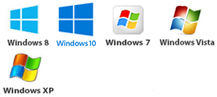
Recover Data for FAT & NTFS is fully compatible with Windows 98/ME/2000/2003/XP/Vista, 2007 & Windows 8 & its file system like - FAT 12, FAT 16, FAT 32, NTFS and NTFS5 file systems.
Recover Data for FAT & NTFS can smoothly recover deleted files including every attribute of such file whether the file lost its content or not. When a file is deleted from a Windows Operating System the contents of the file is rarely destroyed. Recover Data for FAT & NTFS reconstructs the link to deleted files without affecting original file formatting.
Recovering lost data and restore deleted files is now easy and simple with Recover Data for FAT & NTFS files recovery software. Recover Data offer best deleted data recovery software and undelete file recovery tool to recover deleted documents from deleted or formatted windows hard drives.
Recover Data for FAT & NTFS offers two types of scans i.e. Normal Scan & Exhaustive Scan. Use normal Scan,when a file is deleted, and use Exhaustive scan in critical situations such as partition deletion, partition format, partition damage etc. Recover Data for FAT & NTFS previews found data in directory tree just as Windows Explorer and marked deleted file RED color.