Access Repair Software- Repair Access Database


Product Manual - Access Database Recovery
Recover Data for Access successfully repair corrupt Access Database. Software involves following steps:
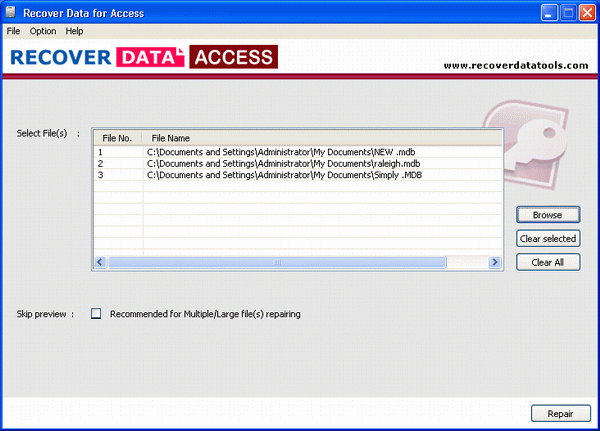
» Loading or Open corrupt .mdb files is the Prime step to repair corrupt Access Database. Open corrupt Access Files using button from the toolbar. Then software displays following screen:
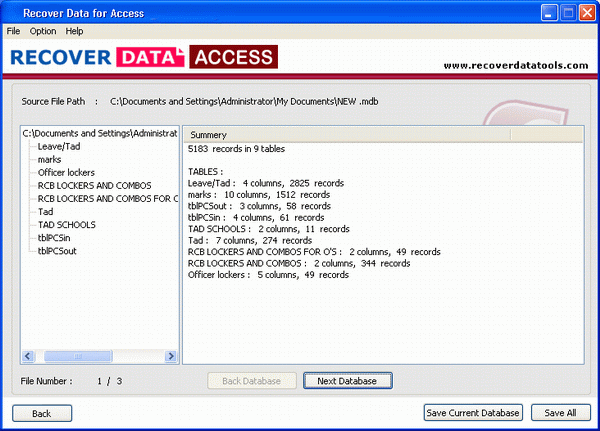
» After the loading of corrupted Access Files, Software display all the repaired files in tree like structure as follows:
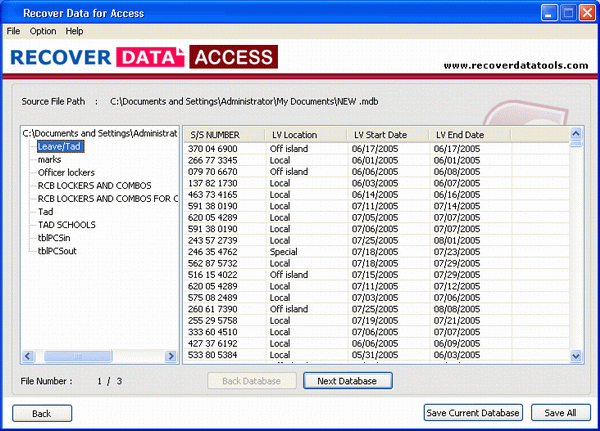
» After the completion of the repairing process, Recover Data for Access software will display all the tables and their data found in the corrupt access files.
Download & Buy - Microsoft Access Data Recovery Software